Sunday, January 31, 2016

Another UE4 environment run video

Here is another video of Voxel Farm in UE4. This time we are lost somewhere in space:


This is using an Alien Biome we have available as an example. If curious, you can see how this terrain was built here. The biome and tutorial were created by one of our artists, Bohan Sun.

The biome is meant as an example. For this reason it is intentionally simple, but it holds pretty well for exploration as you can see in the video.

I took some time to create a blueprint for the little drone that lights the way for the character. I really enjoyed the experience. I wonder if we could write blueprints for real things, like asking your Roomba to fetch your slippers. There is some serious intelligence you could create with this system, once you have means to feed nav meshes and other actors into it, but I digress.

I hope you liked the video. More Unreal stuff coming later...

Thursday, January 28, 2016

Announcing Unreal Engine 4 support

We got Voxel Farm running in UE4. It s not a plugin yet, but we have included an example project that does all the tricky work. More development is required, but I believe this is at a state where others can benefit from it.

I'm already loving how nicely and quicly the voxel content renders. Here you can see the unreal dude on top of our alien biome:


I was thrilled when it took only a couple of clicks to get a good behaving character. Setting up lighting and atmospherics was also very easy. We are not fully exploiting the shading and many other toys in UE4 so it is bound to get much, mucher better.

Been able to just link to our C++ code makes the collaboration between the two engines a breeze. Thanks to that we can run on ARM platforms like iOS.

I leave you with a rather long run of a character over a Voxel Farm terrain. This is a work-in-pogress biome by a new artist that joined our team, Mr. Bohan Sun. You will also note this is only the bare voxel geometry, it is lacking all instanced meshes like grass, shrubs, smaller stones, etc.


I want to thank Alexander Ostman for donating his Voxel Farm/UE4 integration. This became the base of what we are offering today. Drop me a line if you want to get in contact with him.

Tuesday, January 19, 2016

Riding voxels into the sunset

For creative sandboxes, one recurrent favorite topic is starships, airships and ships in general. It would be very cool if you could actually fly or sail them and, while you do so, continue to build and destroy them.

The clipmap system currently in Voxel Farm sees the entire world as a single monolithic entity. While fragments may be detached from the voxel world, they are kept as meshes and optionally voxelized back into the world when they stop moving.

We are working on a new system that breaks the scene in not only one clipmap, but as many clipmaps as necessary. Here is a video showing the basics of how this works:


The video uses spheres for simplicity. The key here is that each sphere is an object that lives in a different clipmap.

Just like with a single clipmap, portions closer to the camera will get greater resolution, but very unlike the single clipmap, these entities now can be moved around and placed at any arbitrary position, scale or rotation.

Even if the camera is not moving, a given entity may be moving respective to the camera. If the entity approaches it will get higher resolution representation.

I look forward to building a castle, lifting it with massive zeppelin-like devices and exploring the world while comfortably sitting next to a fireplace. Pretty much like Pixar's Up, but with siege weapons.

Wednesday, December 16, 2015

Going Meta

We have this new system we are currently testing. We call it Meta Materials. What is a meta material? It is just stuff.

Let's build an abstract snowman:

We could render this using a nice snow material for the snow balls. For traditional rendering this would be a normal map and some other maps describing surface properties, like roughness, specularity, etc.

What happens if the camera get extremely close? In a real snowman you would see that there is no single clear surface. The packed snow is full of holes and imperfections. If we go close enough we may be able to see the ice crystals.

A meta material is information about stuff at multiple scales. It helps a lot when dealing with larger things than a snowman. A mountain for instance:


An artist hand-built this at the grand level. It would be too much work to manually sculpt every rock and little bump in the ground. Instead, the artist has classified what type of material goes in every spot. These are the meta materials. At a distance they may be just rendered using surface properties, however up close they can be quite large geometric features measuring 10 meters or more.

We would like a system that seamlessly covers from mountain to snowflakes, but we are taking smaller steps:


Here you can see a massive feature measuring more than 2 kilometers.

As you approach it, it comes into nice detail. Here is something that looks like a cave entrance. It is on top of the large thing. Note the rocks in the ground, these are coming from the meta-material:


I like this direction, it is a simple and robust way to define procedural objects of any shape and size. We intend to release this as an engine feature soon, I am looking forward to what people can create with a system like this. I will be posting more screenshots and videos about it.


Friday, November 27, 2015

Global Illumination over Clipmaps

Global illumination is one of my favorite problems. It is probably the simplest most effective way to make a 3D scene come to life.

Traditional painters were taught to just "paint the light". This was centuries before 3D graphics were a thing. They understood how light bounced off surfaces picking up color on its way. They would even account for changes in the light as it went through air.

Going into realtime 3D graphics we had to forget all of this. We could not just draw the light as it was computationally too expensive. We had to concentrate on rendering subjects made of surfaces and hack the illumination any way we could. Or we could bake the stuff, which looks pretty but leaves us with a static environment. A house entirely closed should be dark, opening a single window could make quite a difference and what happens if you make a huge hole in the roof?

For sandbox games this is a problem. The game maker cannot know how deep someone will dig or if they will build a bonfire somewhere inside a building.

There are some good solutions out there to realtime global illumination, but I kept looking for something simpler that would still do the trick. In this post I will describe a method that I consider is good enough. I am not sure if this has been done before, please leave me a link if you see that is the case.

This method was somewhat of an accident. While working with occlusion I saw that determining what was visible from any point of view was a similar problem to finding out how light moves. I will try to explain it using the analogy of a circuit.

Imagine there is an invisible circuit that connects every point in space to it neighboring points. For each point we also need to know a few physical properties like how transparent it is, how it changes the light direction and color.

Why use something like that? In our case it was something we were getting almost for free from the voxel data. We saw we could not use every voxel, it resulted in very large circuits, but the good news was we could simplify this circuit pretty much the same way you collapse nodes in an octree. In fact the circuit is just a dual structure superimposed on the octree.

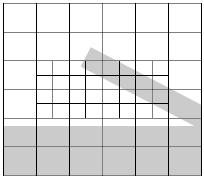
Consider the following scene:


The grey areas represent solid, white is air and the black lines is an octree (quadtree) that covers the scene at adaptive resolution.

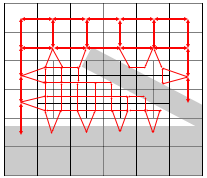
The light circuit for this scene would be something like:


Red arrows mean connections between points where light can freely travel.

Once you have this, you could feed light into any set of points and run the node to node light transfer simulation. Each link conduces light based on its direction and the light's direction, each link also has the potential to change the light properties. It could make the light bounce, change color or be completely absorbed.

It turns out that this converges after only a few iterations. Since the octree has to be updated only when the scene change you could run the simulation many times over the same octree, for instance when the sun moves or a dragon breathes fire.

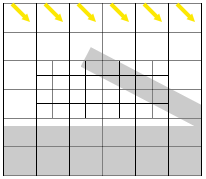
To add sunlight we can seed the top nodes like this:


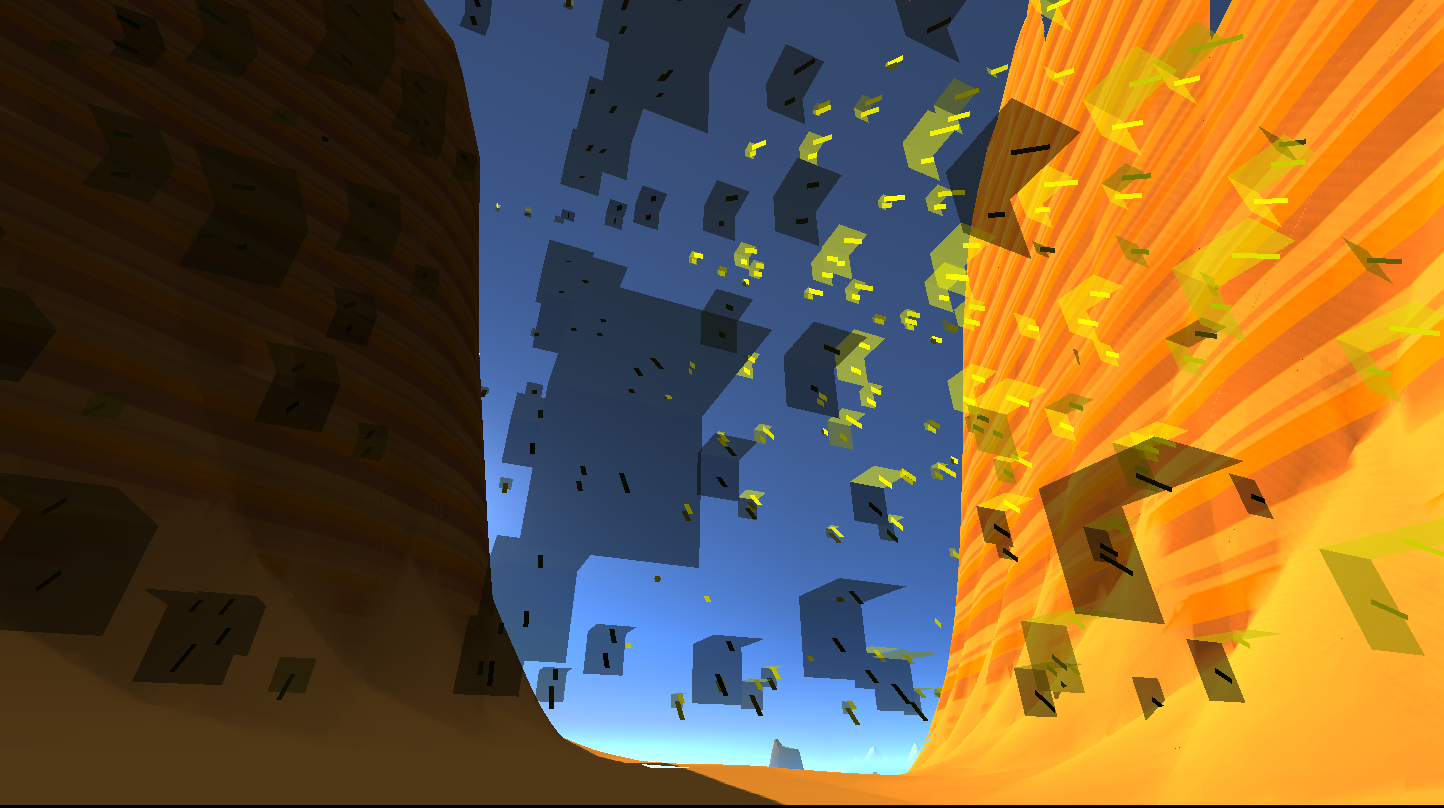
Here is how that looks after the simulation runs. This is a scene of a gorge in some sort of canyon. Sunlight has a narrow entrance:


The light nodes are rendered as two planes showing the light color and intensity.

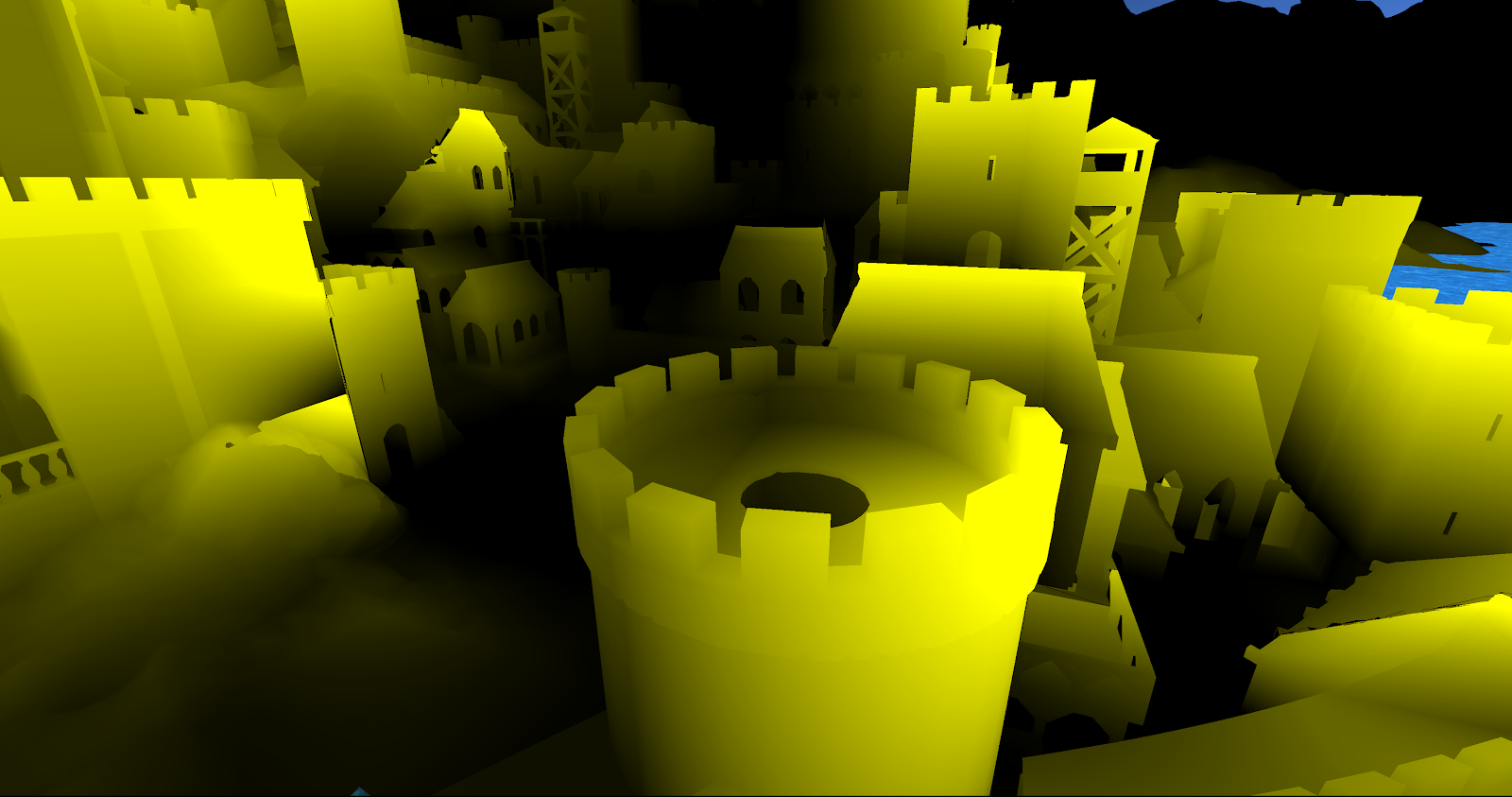
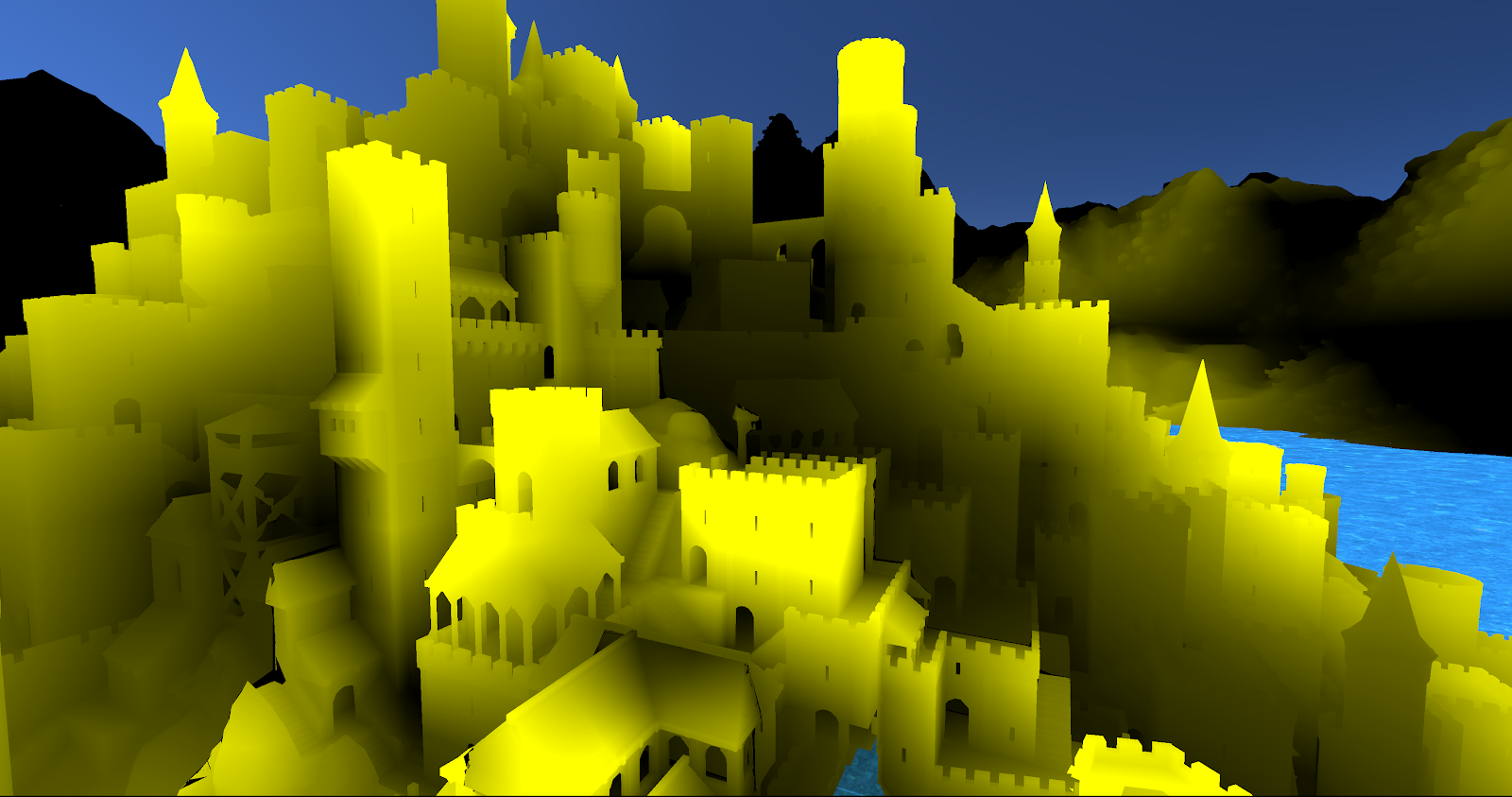
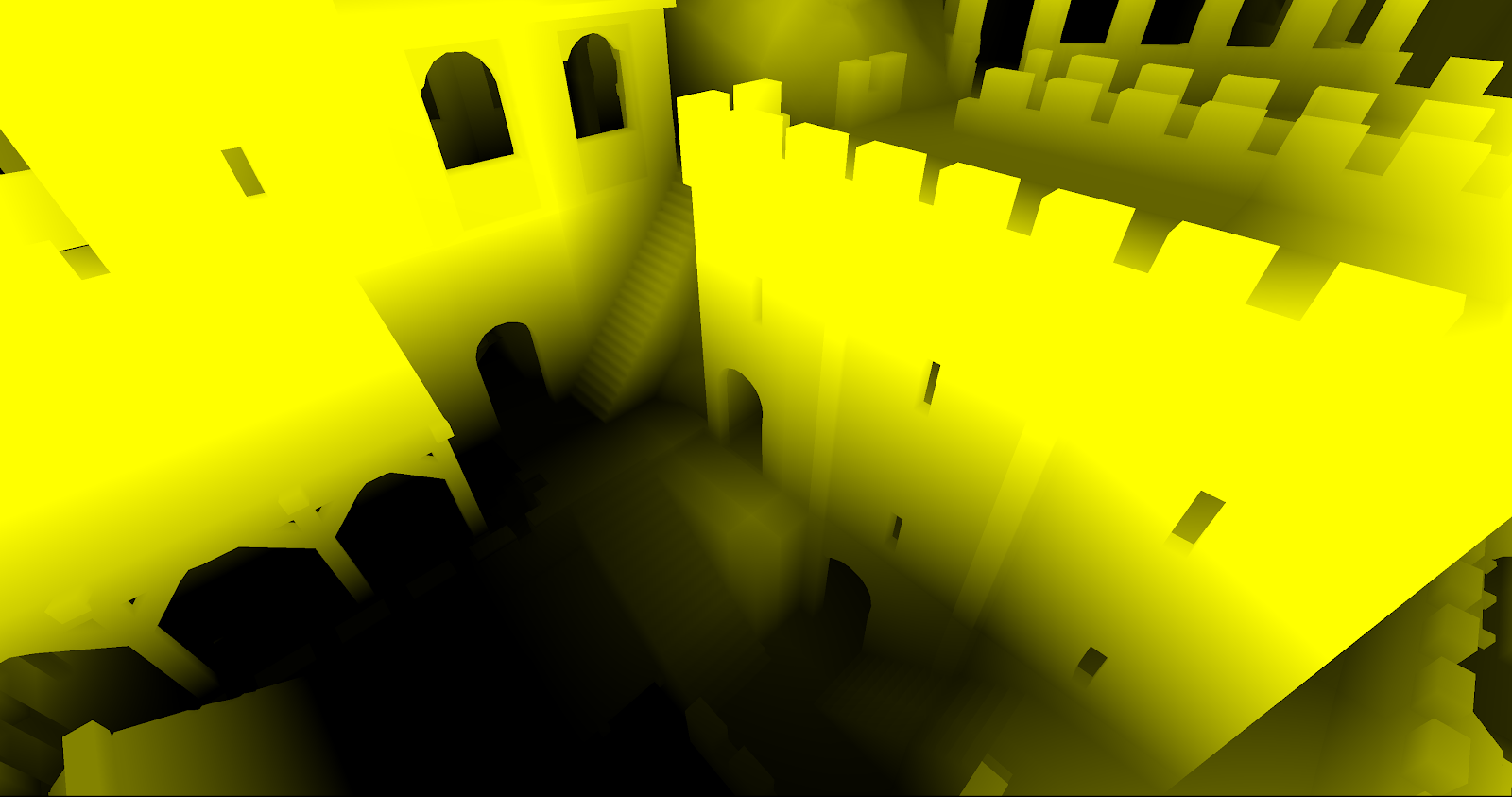
Here are other examples of feeding just sunlight to a complex scene. Yellow shows the energy picked up from the sunlight.


Taking light bounces into account is then easy. Unlike the sunlight, the bounced light is not seeded from outside, it is produced by the simulation.

In the following image you can see the results of multiple light bounces. We made the sunlight pure yellow and all the surfaces bounce pure red:


You can see how the light probes (the boxes) are picking red light from below. Here is the same setup for a different scene:


This is still work in progress but I like the fact it takes a fraction of a second to compute a full light solution, regardless of how complex the scene is. Soon we will be testing this in a forest setting. I miss the green light coming through the canopies from those early radiosity days.